

First task
A task is Orbit’s unit of work: a request with acceptance criteria that can be run, checked, and traced. This page takes one task through its whole life: your agent files it, you approve and ship it from the dashboard, and you review what comes back.
Before you start
Section titled “Before you start”Finish the Quickstart setup: Orbit connected to your agent in this
repository, and the dashboard open with orbit . Use a repository
where a throwaway change is fine.
1. Ask for a change
Section titled “1. Ask for a change”Ask your agent for something small and checkable:
Add orbit-hello.txt at the repository root containing “hello from orbit”. File it as an Orbit task.
The agent files a task with a title, a complexity, and acceptance criteria.
The criteria are the finish line: the run checks its work against them. The
bundled orbit skill tells your agent how to write checkable criteria, so you
describe the outcome and it fills in the rest.
The task lands in proposed. Nothing runs yet.
2. Approve it
Section titled “2. Approve it”In the dashboard, the task appears in Tasks under Awaiting approval.
Open it, read the description, criteria, and Context files tab, and click
Approve. It moves to backlog. If the task is wrong, click reject, or
ask your agent to fix it first.
The Context files tab lists the files and directories the task expects to change. Orbit locks them for the run, so an overlapping task waits its turn. Markdown files are shared rather than locked by default.
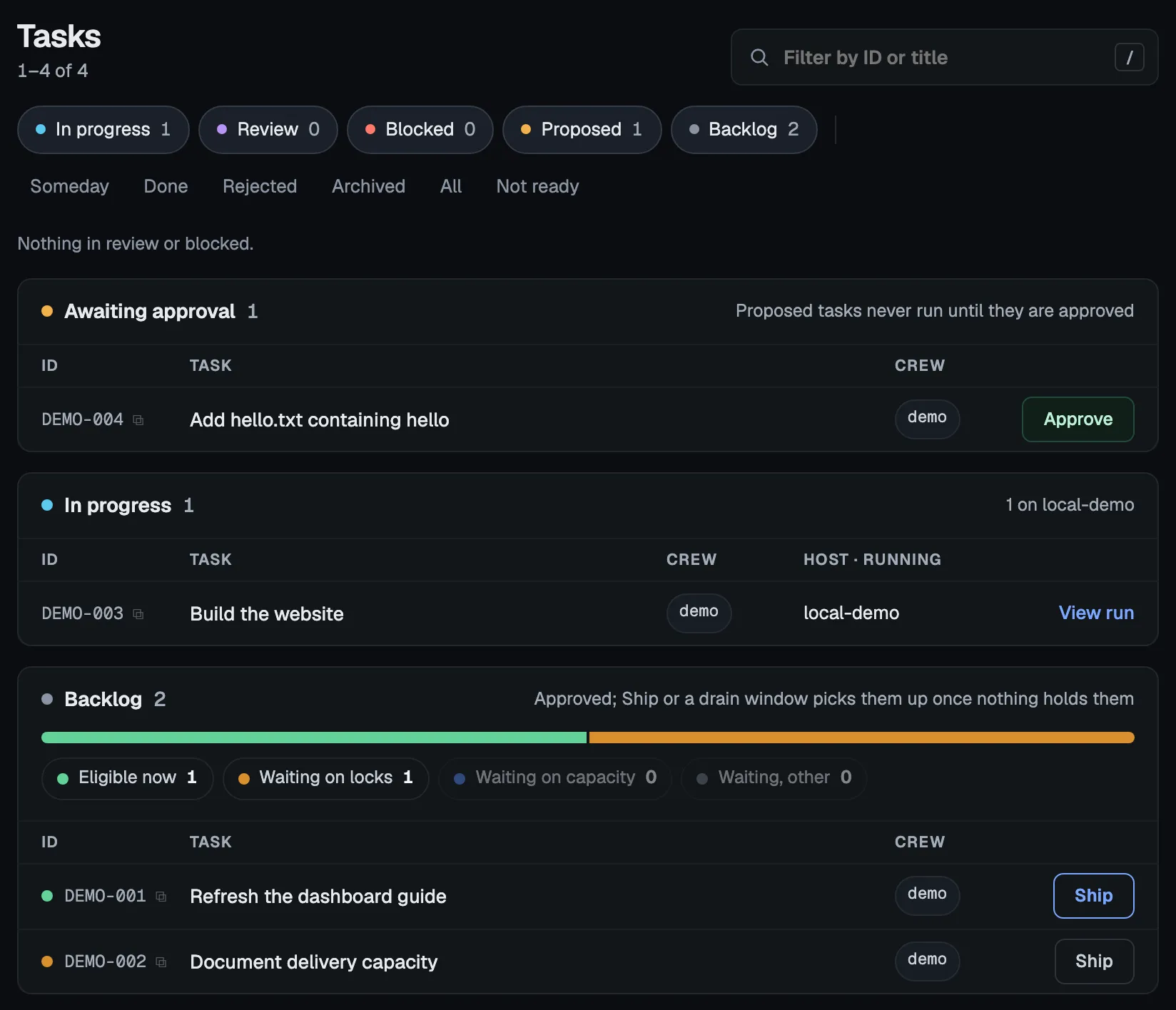
You can also tell your agent to approve it. Either way, approval is an explicit step, recorded in the task’s history; nothing approves a task on its own.
3. Ship it
Section titled “3. Ship it”Click Ship on the task. Orbit locks the task’s context files, gives it an
isolated worktree, and runs an agent in the sandbox to plan, execute, and check
the change. Click View run to follow each step live. A second agent reviews
the change only when review is turned on: review. is off by default, and
Review layers explains how to enable it.
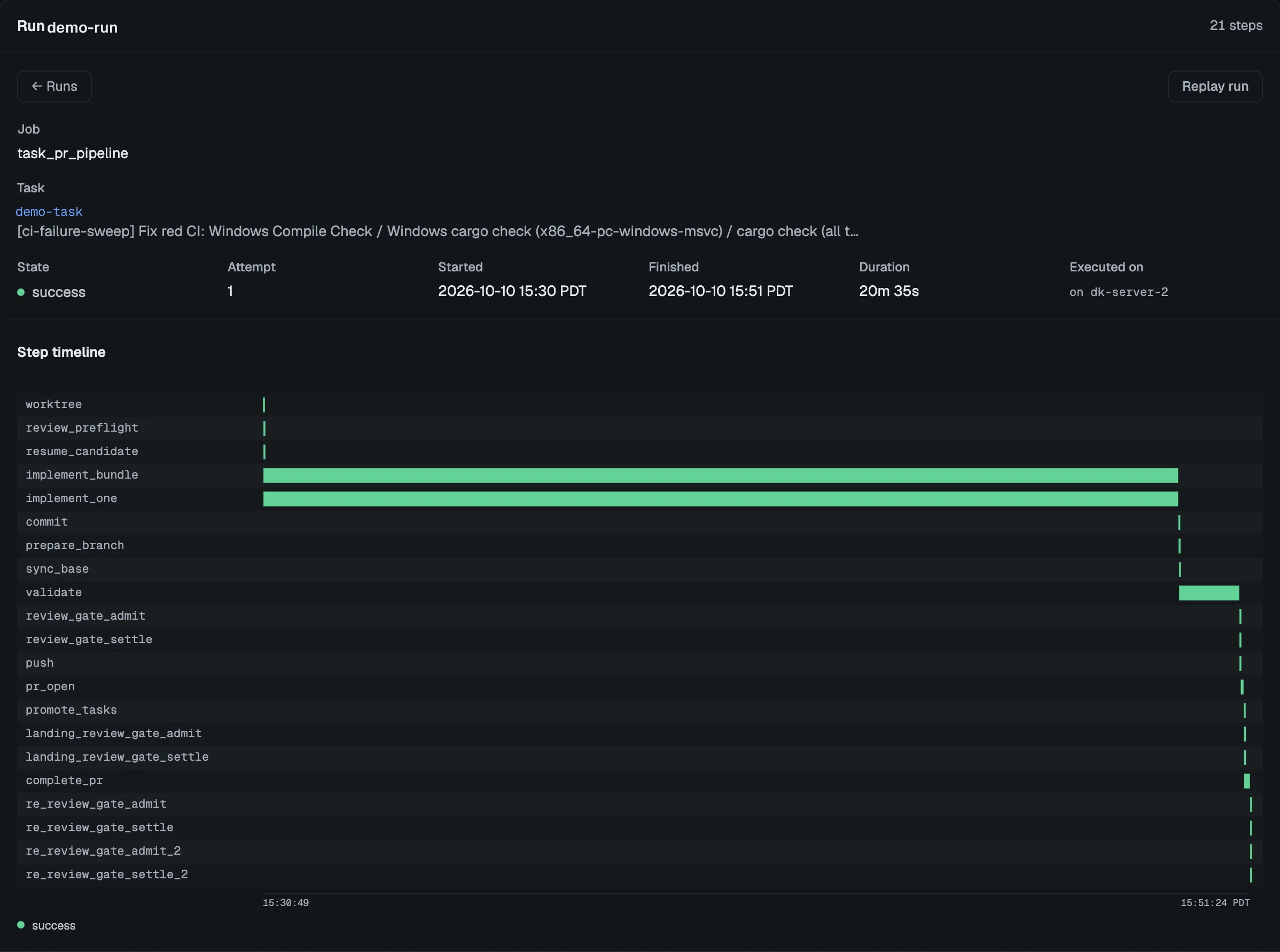
Asking your agent to ship it starts the same run. In the default pr ship
mode, the run ends by opening a pull request.
4. Review and close it
Section titled “4. Review and close it”A successful run stops with the task in review and the pull request open.
The task’s detail shows the plan and the execution summary, plus the
reviewer’s verdict when second-agent review is on. Runs holds every step
and event behind them.
Review the pull request and merge it on GitHub. Then the task moves to done
by one of two routes. Click Approve on the task. Or let Orbit settle it:
each orbit delivery window, and orbit ,
closes a task whose delivery pull request has merged, unless a run or claim of
the task is still live or a post-deploy criterion is still unrecorded. Settling
writes a landing note that names the pull request and merge commit, and starts
no work. It approves nothing and merges nothing.
If the run fails, its detail opens on the step it stopped at and the error it
recorded. Fix the cause, then click Resume to restart from that step. Or
ask your agent what went wrong: the orbit-orchestrate skill reads the run’s
evidence and matches it to a known failure.
From the terminal
Section titled “From the terminal”Every step has a CLI equivalent. The same task, end to end:
TASK_ID=$(orbit task add --title "Create orbit-hello.txt" \ --acceptance-criteria "orbit-hello.txt exists at the repository root." \ --acceptance-criteria "It contains the text 'hello from orbit'." \ --complexity low --workspace .)orbit task lint "$TASK_ID" # flag vague criteria or unusable scopeorbit task update "$TASK_ID" --approve # proposed → backlogorbit run ship "$TASK_ID" # prints a run ID and returnsorbit run show <RUN_ID> # follow the runorbit task update "$TASK_ID" --approve # after you merge: review → doneorbit task settle-merged "$TASK_ID" # or let Orbit settle it once mergedorbit prints only the new task ID. --title and --complexity are
required. --context names the files and directories the task expects to
change. Orbit locks them, so an overlapping task waits, and Markdown files are
shared rather than locked by default. It is a starting point, not a limit: a
run that changes other files still delivers, Orbit adds them to the task’s
context, and the run is recorded as a footprint miss. See
how a delivery window starts tasks.
--approve takes the next approval step: proposed to backlog, then
review to done.
orbitshows the task.task show "$TASK_ID" orbitshows the recorded events.audit list orbitattaches a report or other output to the task. See Task artifacts.task artifact put "$TASK_ID" <file>
- Delivery Workflows: ship many tasks at once, and let runs merge.
- Use the Dashboard: everything the dashboard can do.
- Run a Delivery Window: drain a whole backlog.